










Prepare the regional context, lifecycle rules, notifications and safe reporting channels before daily use.
Before you start
- Agree the internal issue workflow and closure policy.
- Confirm timezone, language and due-soon threshold.
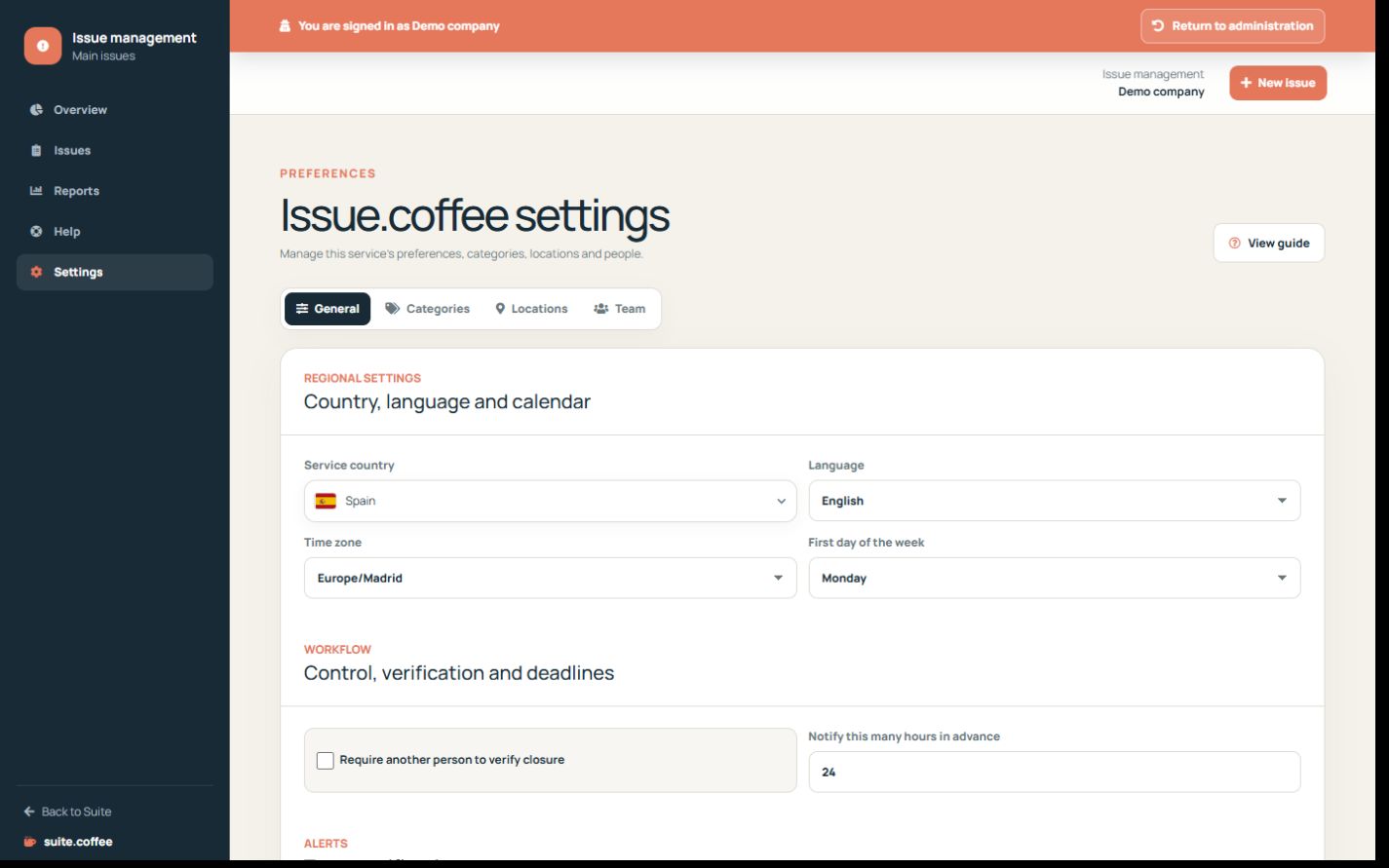
Review the operational workflow
Confirm timezone, language, due-soon threshold and whether a different person must verify closure. Choose the team notifications that support real follow-up.
Enable channels deliberately
Public reporting, email verification, API and webhooks are independent options. Publish or activate each one only after its categories, locations, credentials and recipients are ready.
Keep the service boundary clear
Issue tracks internal operational problems and corrective work. Customer support conversations belong to Ticket.coffee; account, plan and general members remain in Suite.coffee.
Step by step
- Open Settings.
- Confirm country, language, timezone and first weekday.
- Set independent verification and due-soon hours.
- Choose internal notifications.
- Enable public, API or webhook channels only after testing them.
Final check
- Dates use the intended timezone.
- Closure rules match the team policy.
- Only prepared channels are active.
Tip: Issue tracks internal operational problems; customer support belongs to Ticket.coffee.