










Test a focused public reporting journey that verifies the reporter and exposes only one issue.
Before you start
- Enable public reporting with active categories and locations.
- Use an email able to receive the verification code.
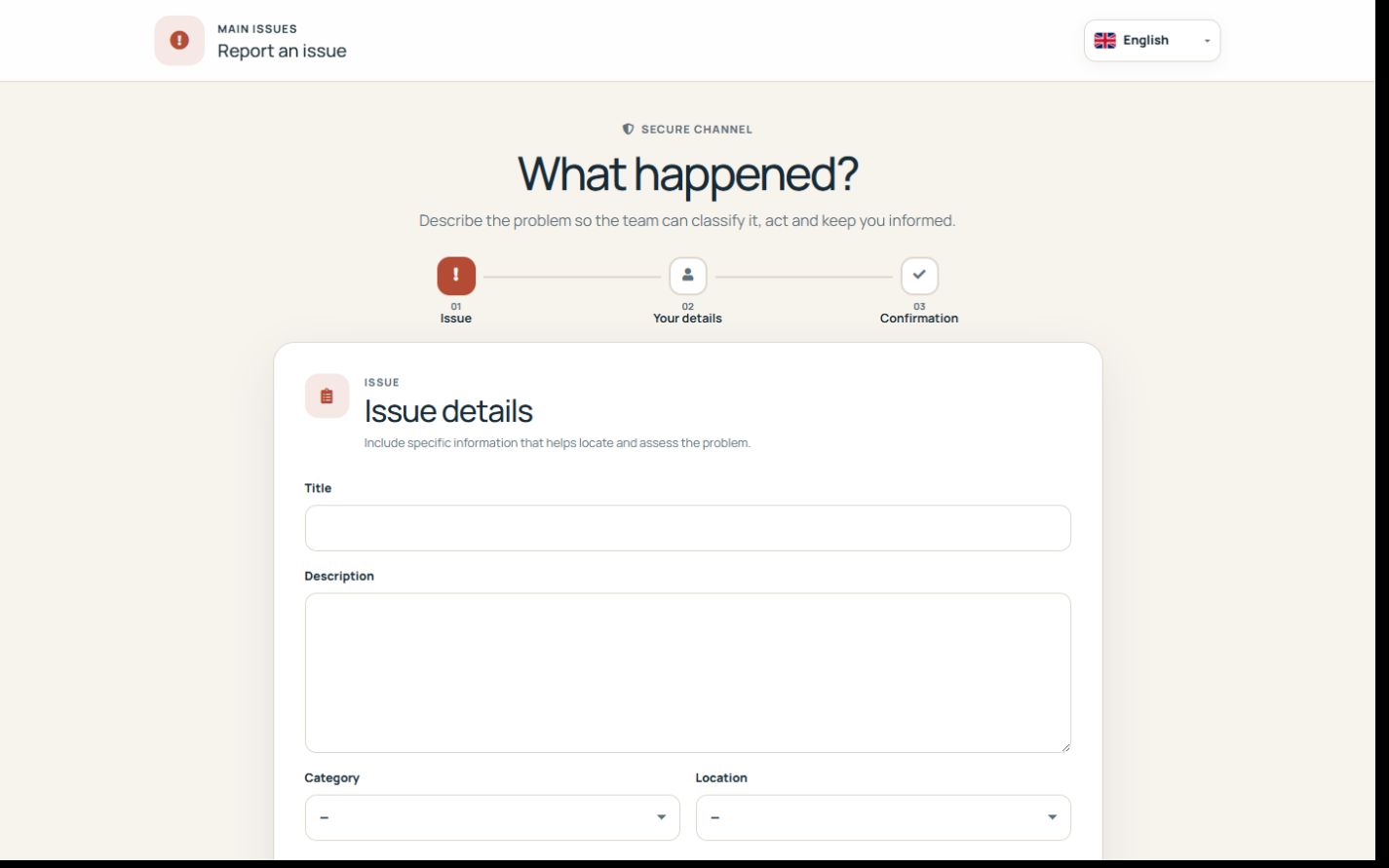
Publish the controlled channel
Enable public reporting, choose active categories and locations and distribute the URL or generated QR. Public reports start open with source public.
Verify the reporter when required
Email verification uses a six-digit, time-limited, single-use code tied to the report data. The server validates it before creation.
Protect follow-up access
The reporter receives a random management token that shows only that issue and its public status. Internal comments, private evidence, team data and other issues are not exposed.
Step by step
- Open the public URL or QR.
- Choose category and location.
- Describe the observed problem and reporter details.
- Request and enter the six-digit code.
- Submit and test the private management link.
Final check
- Only active resources are offered.
- Verification is tied to the request.
- The token exposes no internal comments or files.
Tip: Treat the public link as a reporting channel, not as authentication or a file-sharing URL.