










Connect trusted systems with scoped API credentials and signed webhook delivery.
Before you start
- Identify the trusted integration and HTTPS receiver.
- Prepare secure secret storage and retry handling.
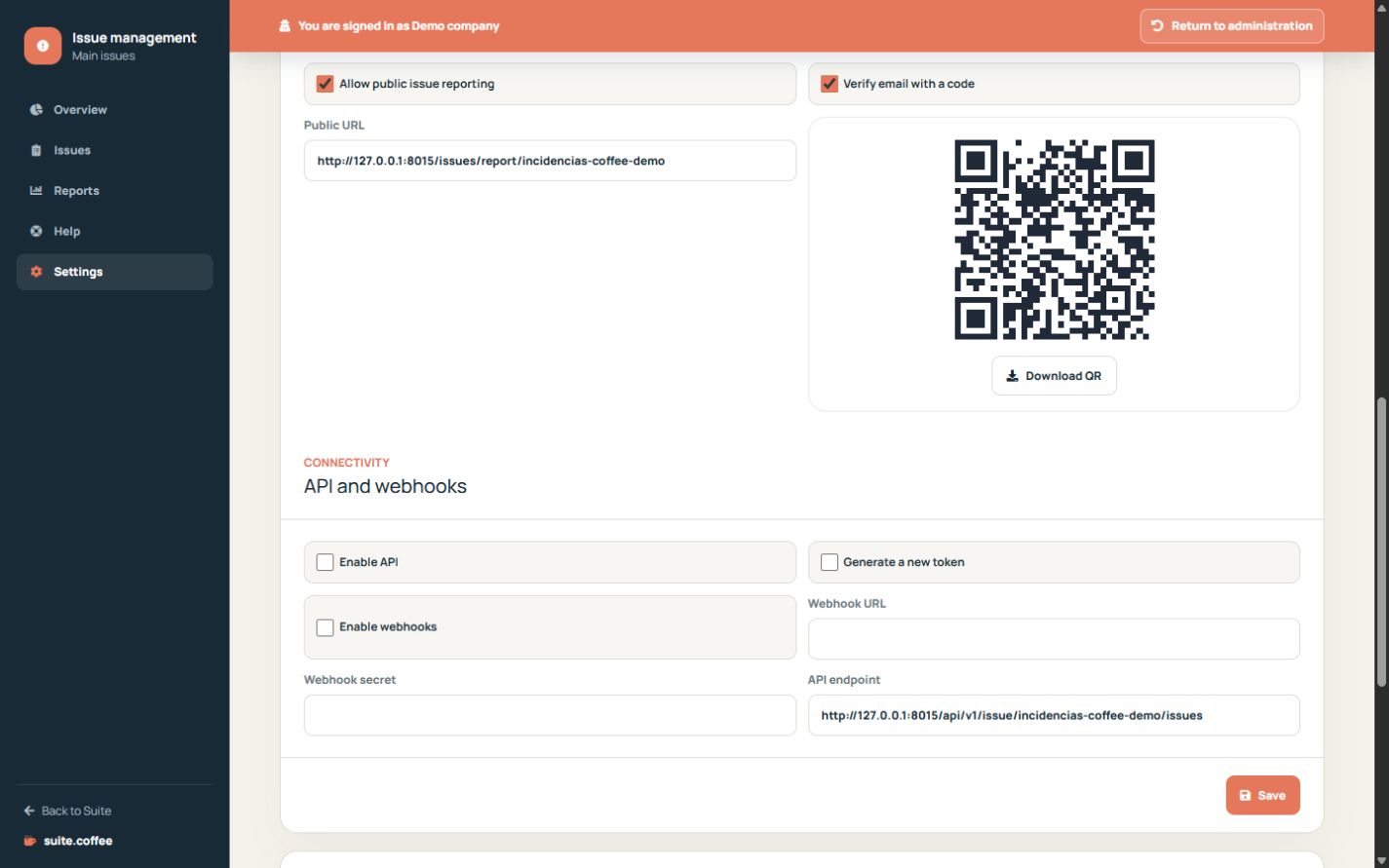
Protect API credentials
Enable the API and generate a token only for a trusted integration. The token is shown once; rotating it invalidates the previous credential.
Use concurrency and scope
The API lists, creates, reads, updates and changes status only inside the public-slug instance. Send the current lock version when updating to detect stale writes.
Verify webhook delivery
Configure an HTTPS receiver and secret. Deliveries are signed and attempts remain visible for diagnosis. A webhook is a notification, not proof that the remote system processed the event.
Step by step
- Open Connectivity in Settings.
- Enable API only for a trusted consumer.
- Generate and store the one-time token securely.
- Configure HTTPS webhook URL and secret.
- Verify signatures, retries and delivery history.
Final check
- The token is stored outside logs and screenshots.
- Updates send the current lock version.
- The receiver verifies every signature.
Tip: A delivered webhook proves transport, not that the remote system completed its own processing.