










Move an issue through valid states while documenting resolution, reasons and independent verification.
Before you start
- Open the correct issue and review its complete history.
- Confirm assignment and evidence for the next state.
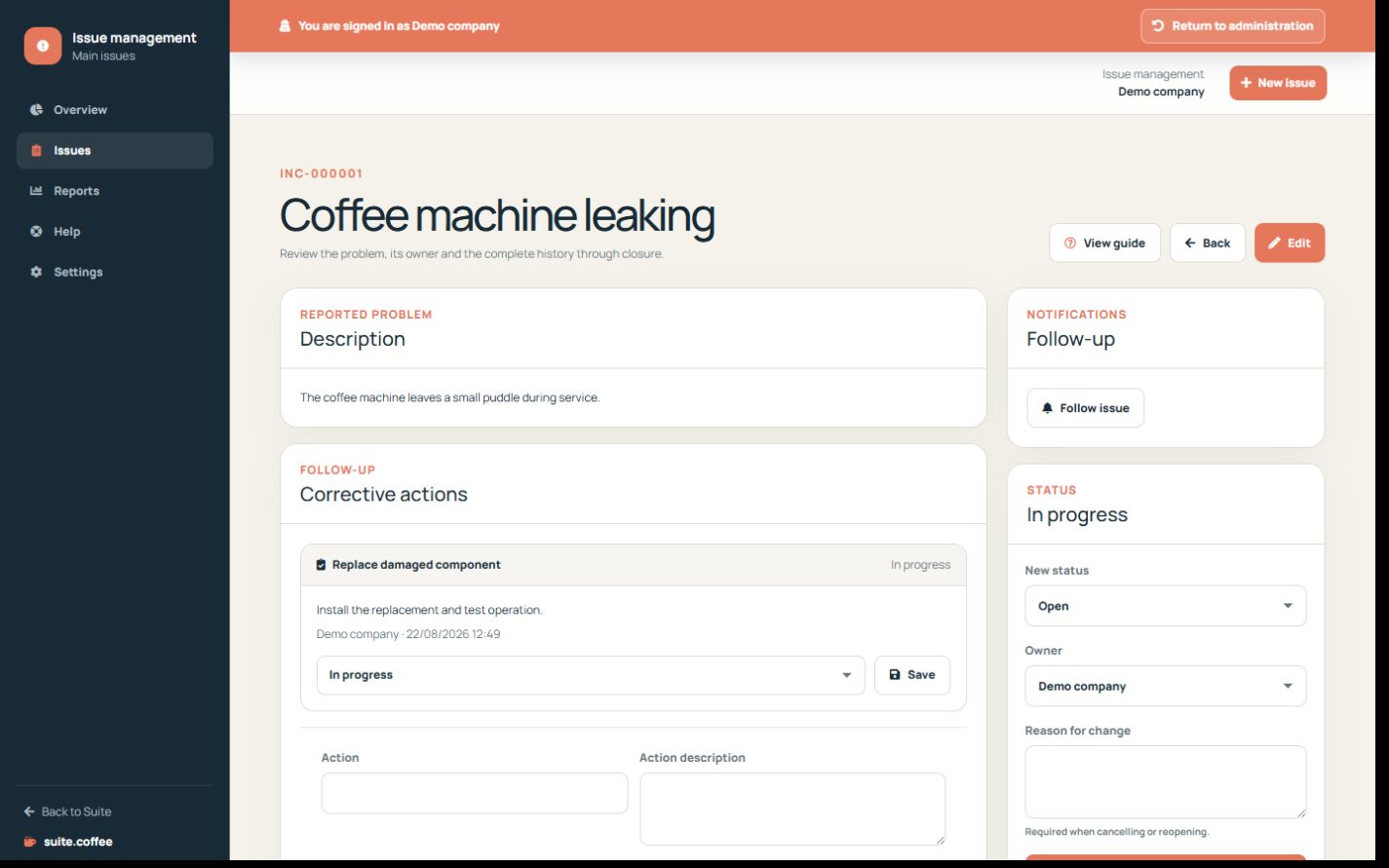
Follow the real sequence
Use open, assigned, in progress, resolved, closed or cancelled according to the work. Assignment is required before assigned or in progress states.
Document the outcome
Resolution text is required to resolve or close. Cancellation and reopening require a reason. Comments add internal updates without replacing the formal resolution.
Verify closure
When independent verification is enabled, the closer must be different from the creator. Every transition records actor, reason, timestamps and lock version.
Step by step
- Open the issue from its queue.
- Review owner, priority, severity and due date.
- Add internal progress comments as work advances.
- Record the applied solution before resolving.
- Close, cancel or reopen only with required verification and reason.
Final check
- The chosen transition is valid.
- Resolution or reason is present when required.
- Actor and timestamps appear in history.
Tip: Comments explain progress but do not replace the formal resolution or transition reason.