










Build stable categories and locations, then assign service roles to shared Suite identities.
Before you start
- List recurring problem types and physical areas.
- Confirm which Suite users need Issue access.
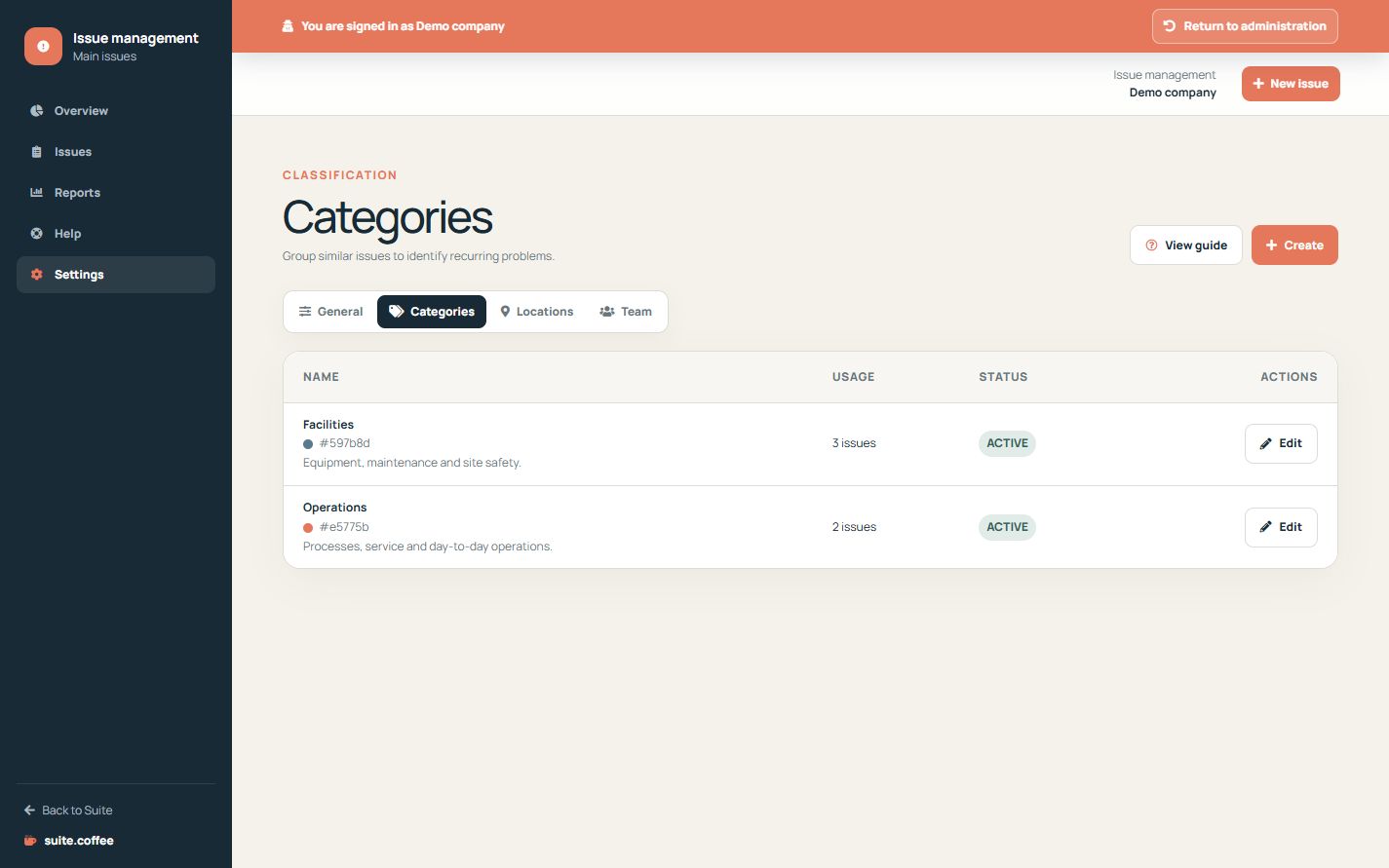
Classify recurring problems
Categories group similar issues; locations identify the site, area or resource affected. Use stable names so queues and reports remain comparable.
Respect location capacity
The plan counts active locations. Reducing capacity suspends excess resources reversibly and preserves issues and history.
Reuse the shared team
Add existing Suite accounts and choose an Issue role. Owner and members manage configuration; operational users work on issues; clients have read-only access when granted.
Step by step
- Open Categories and create useful classifications.
- Open Locations and add each operational area.
- Keep names and codes stable.
- Open Team and add existing Suite accounts.
- Assign the least privileged Issue role that fits the work.
Final check
- Categories are not vague duplicates.
- Active locations fit plan capacity.
- Every member uses the intended shared identity.
Tip: Deactivate obsolete resources to preserve history instead of renaming them for a different purpose.