










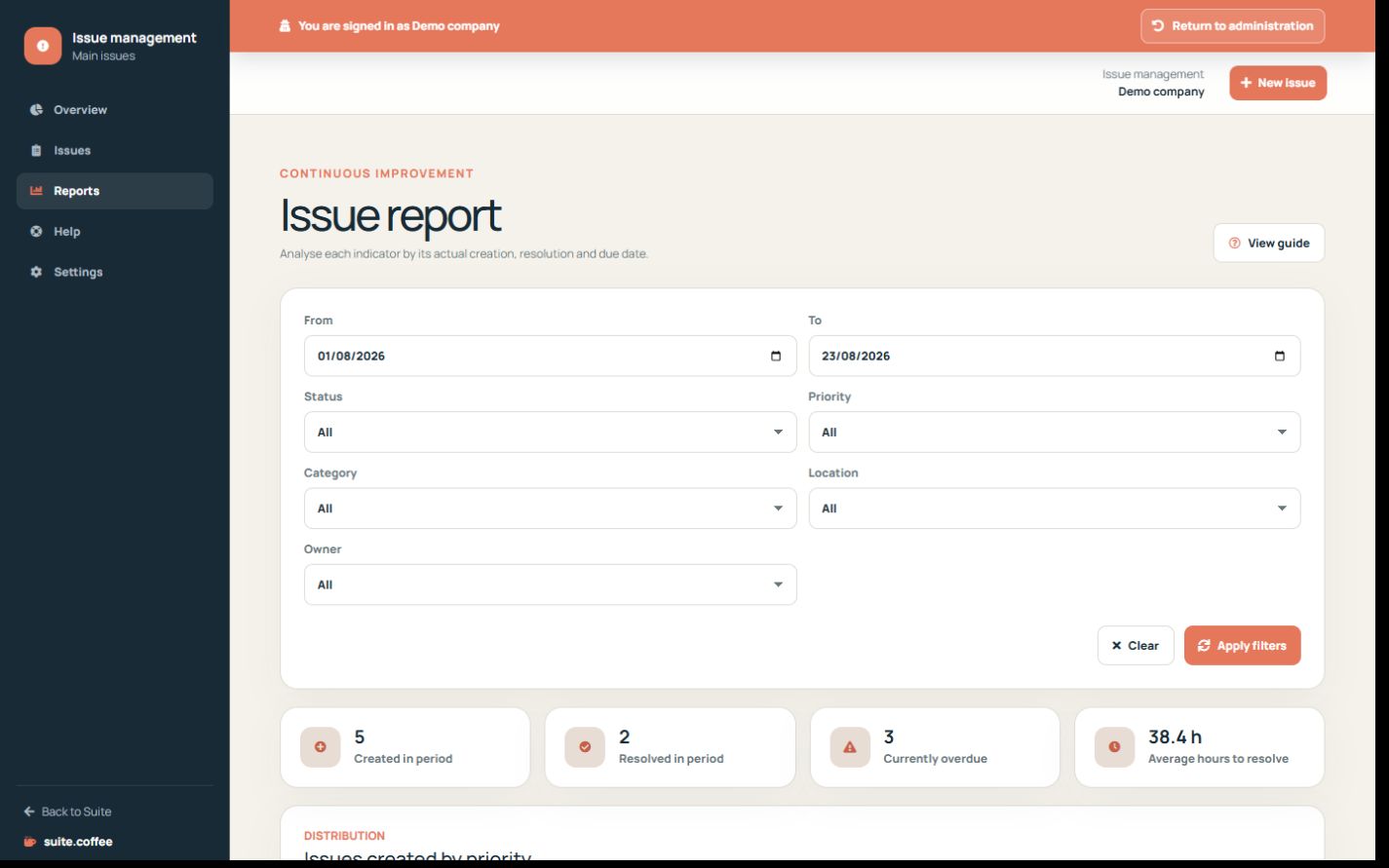
Interpret created, resolved and overdue indicators using the semantic date that belongs to each metric.
Before you start
- Choose the reporting period and filters.
- Confirm current status and due dates.
Use the correct date
Created counts use creation date, resolved counts use resolution date and current overdue uses due date and open status. Average resolution time comes from resolved records.
Compare classification
Review priority, severity, category, location, source, status and responsible person to identify recurring operational problems.
Export the selected scope
Apply filters and period first. An export is a point-in-time copy and does not replace the issue event history or private evidence.
Step by step
- Open Reports.
- Set the intended period.
- Compare created, resolved, overdue and average resolution time.
- Review classification distributions.
- Export only after confirming filters and dates.
Final check
- Each metric uses its intended date.
- Current overdue excludes closed work.
- The export is a point-in-time copy.
Tip: Open the source issue before treating an aggregate as the root cause.