










Break remediation into owned actions and retain private evidence and explicit issue relationships.
Before you start
- Identify the issue and the corrective outcome.
- Choose authorised owners for each action.
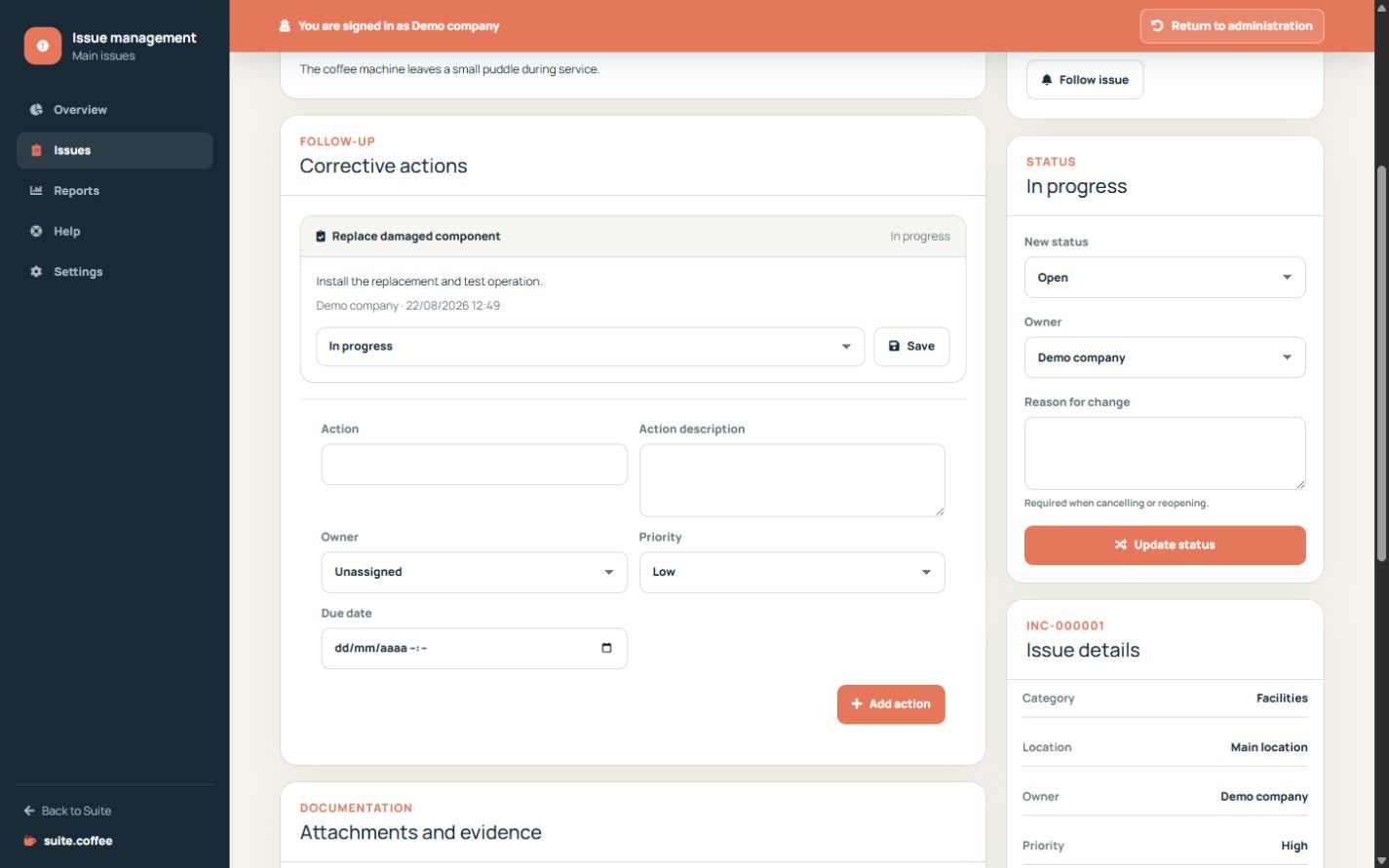
Track corrective actions
Create actions with owner, due date and pending, in-progress, completed or cancelled status. They support the issue lifecycle but do not close the issue automatically.
Protect evidence
Attachments and resolution evidence are private files. Downloads require authorised access to the same instance; do not use public reporting links as file-sharing links.
Keep relationships explicit
Mark duplicates or link related, caused-by, blocking or originated-from records. Archive completed history instead of deleting its audit trail.
Step by step
- Open the issue detail.
- Create actions with owner, priority and due date.
- Update action status as work progresses.
- Upload only necessary private evidence.
- Link duplicates, causes or blockers and archive completed history.
Final check
- Each action has a clear owner.
- Private files require instance access.
- Relationships describe the intended direction.
Tip: Completing an action does not close the issue automatically; make the formal transition separately.